Features

What’s in CINQ?

Watch Party.

Watch parties

Watch in sync on the services you already have.

Netflix, Prime Video, HBO Max, Disney+, Hulu, Apple TV and more. On a computer with the CINQ extension, in Chrome or Edge, the host presses play once and every player in the party follows to the second, pause and scrub included, with video and chat beside the film.
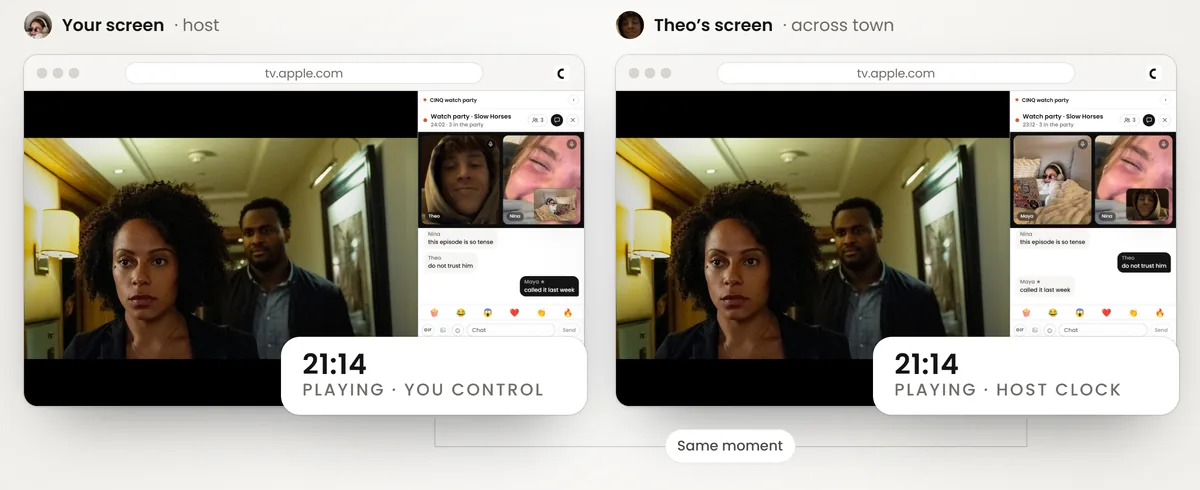
One watch party on two laptops, the host's and Theo's across town, both at 21:14 in the same scene on Apple TV
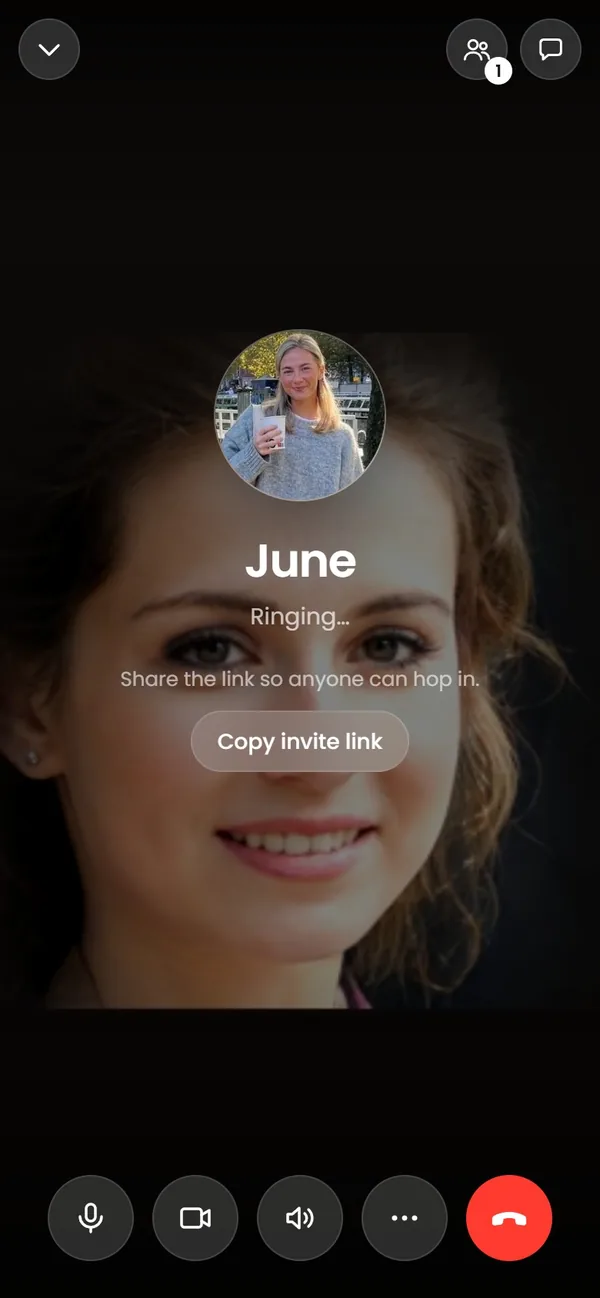
  • A CINQ video call to June on a phone: your camera fills the screen while it rings, with mute, camera, speaker and the red Leave button
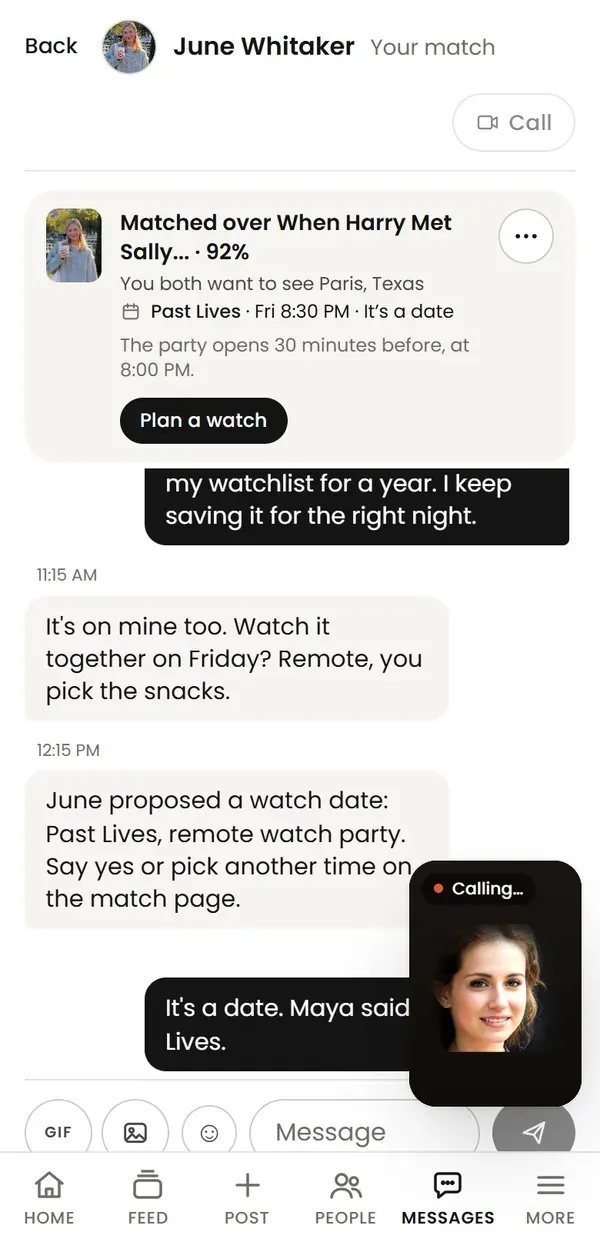
    The same call pulled down to a small Calling tile in the corner, over the chat with June

    Video calls

    Video calls that follow you around.

    Call a friend from any chat. Drag your own picture to any corner, pull the call down to a floating tile, and keep using CINQ while you talk.

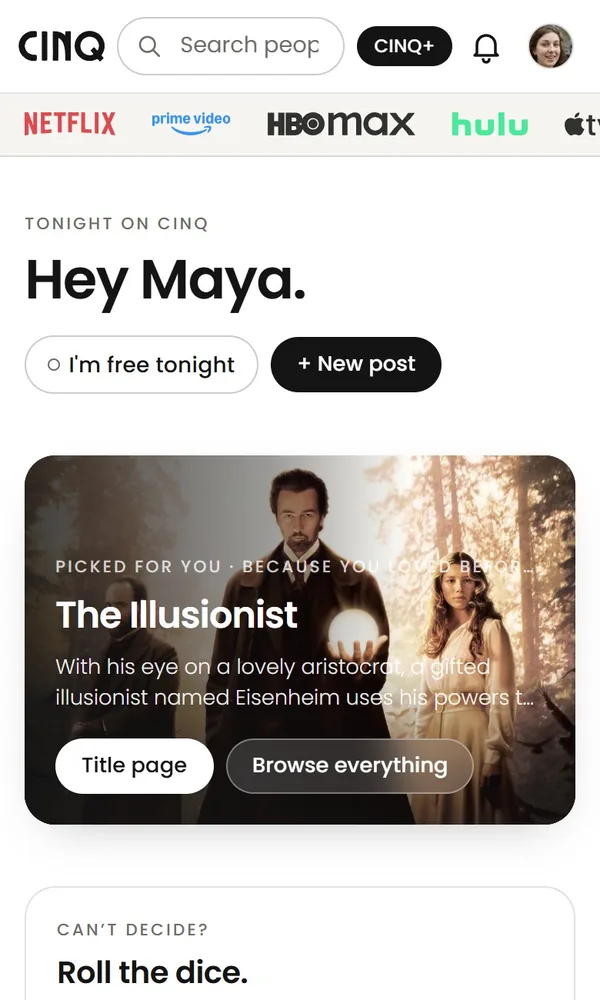
  • Home on CINQ in light mode: Hey Maya, and tonight's pick, The Illusionist
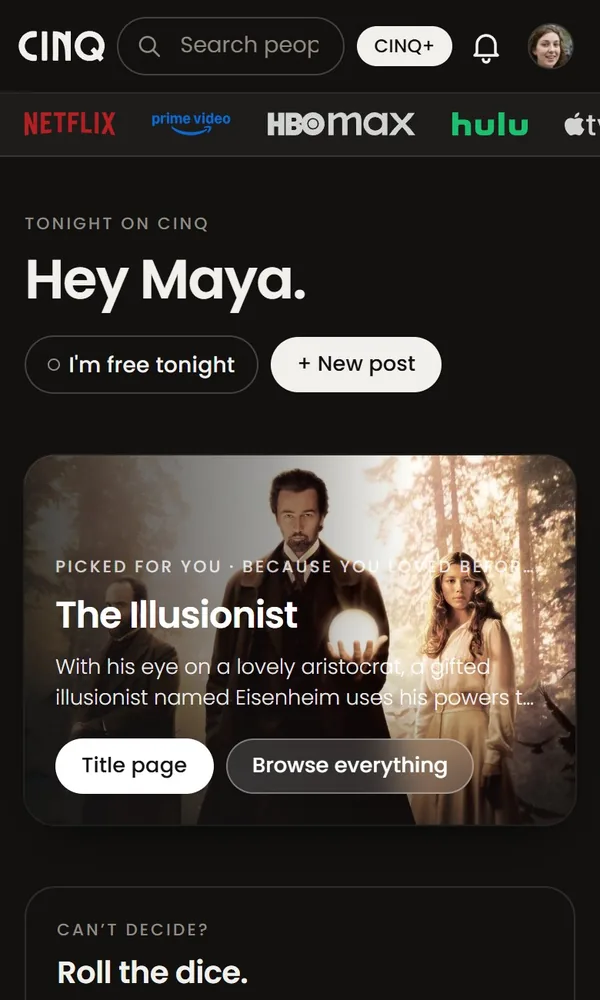
    The same Home in dark mode

    Dark mode

    Light or dark.

    Pick Light, Dark or Match device, on the site, in the extension and in the phone apps.

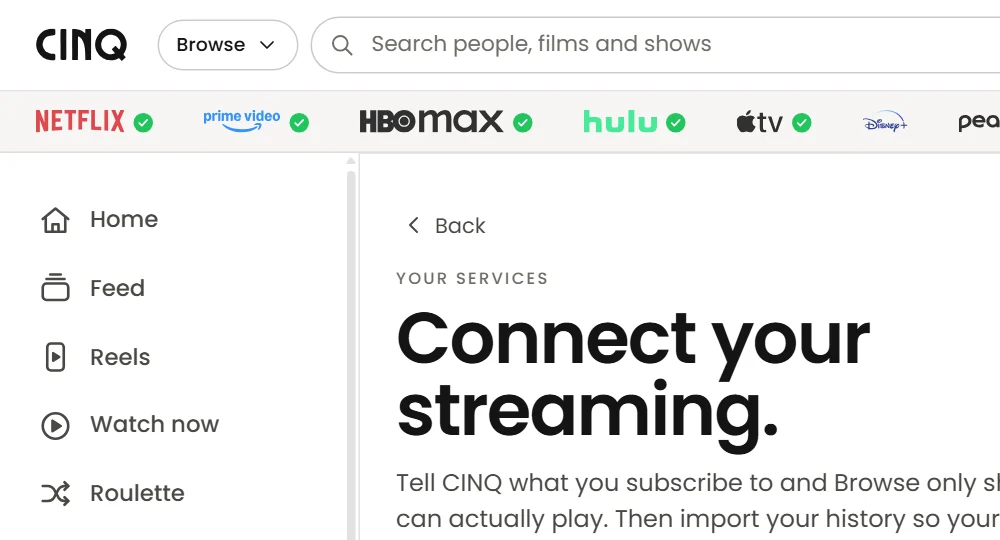
  • The streaming services strip on CINQ with a green check beside Netflix, Prime Video, HBO Max, Hulu and Apple TV

    Your services

    See where you're signed in.

    A green check beside each service this browser is signed in to, or whose app is on your phone. It's checked on your device, and nothing about it is sent to CINQ.

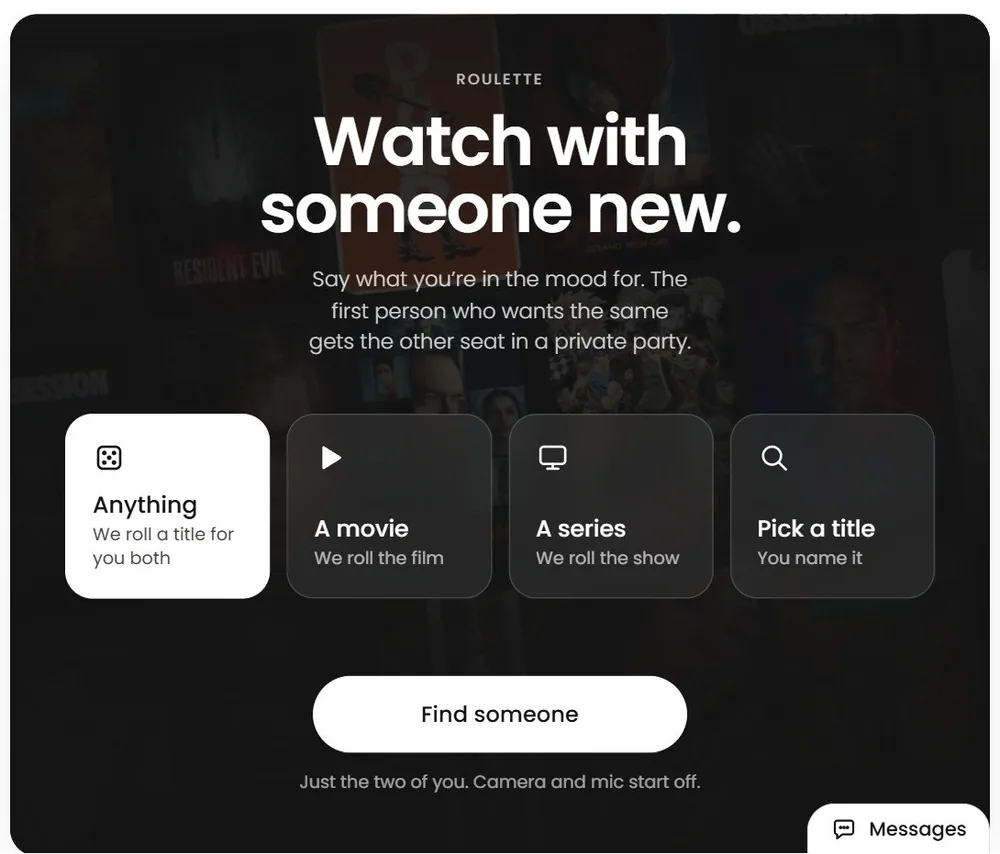
Roulette.

Watch with someone new.

Say what you're in the mood for and CINQ pairs you with someone who wants the same, one to one. Camera and mic start off, and Report or Block ends it at once.

Roulette on CINQ: pick Anything, a movie, a series or a title, then Find someone

Dating.

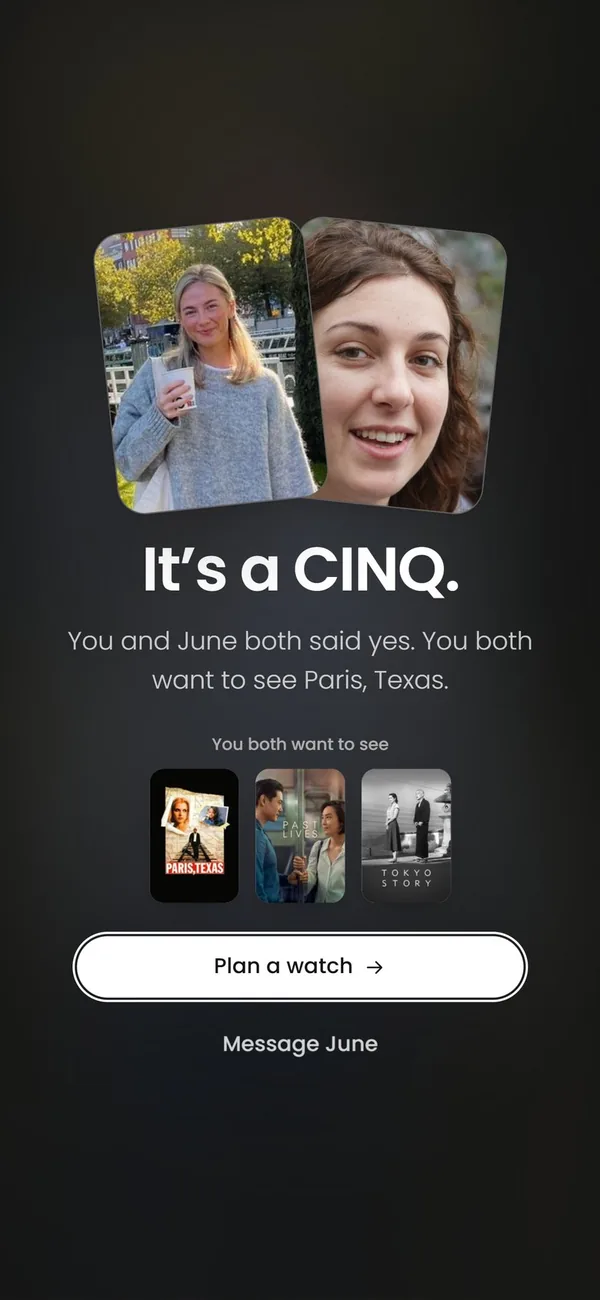
It's a CINQ.

Dating that starts with taste. When you both say yes, you see the films you both want to watch, and the first date can be one of them.

Opt-in, and 18+ only.

It's a CINQ: you and June both said yes, and you both want to see Paris, Texas

Watch dates

Plan a watch.

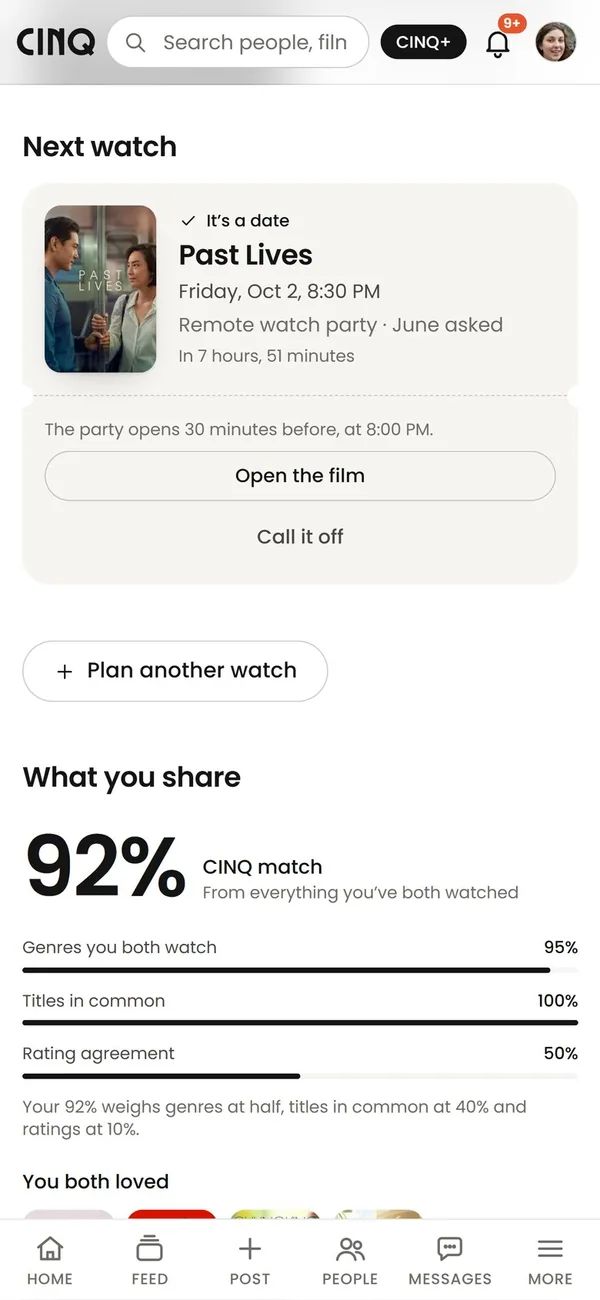
Pick a film and a night with your match. You both get a reminder, and the party opens 30 minutes before.

A watch date with June: Past Lives on Friday at 8:30 PM, a remote watch party, with Open the film and a 92% match below

Personal Stats.

What your watching says about you.

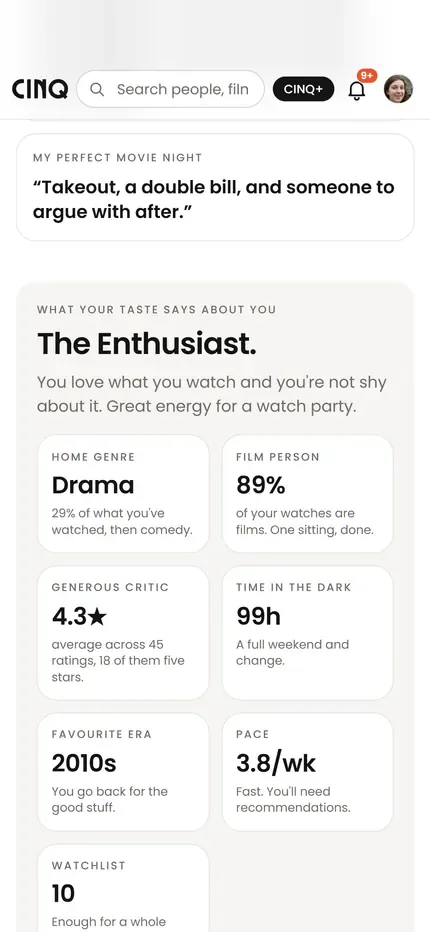
Your profile turns what you watch into a read on you: the genre you live in, how generous a critic you are, your hours in the dark, your favourite era and how fast you get through things. Friends can like it.

Maya's profile: The Enthusiast, with Drama as her home genre, 4.3 stars on average, 99 hours in the dark and the 2010s as her era

Taste

See how your taste lines up.

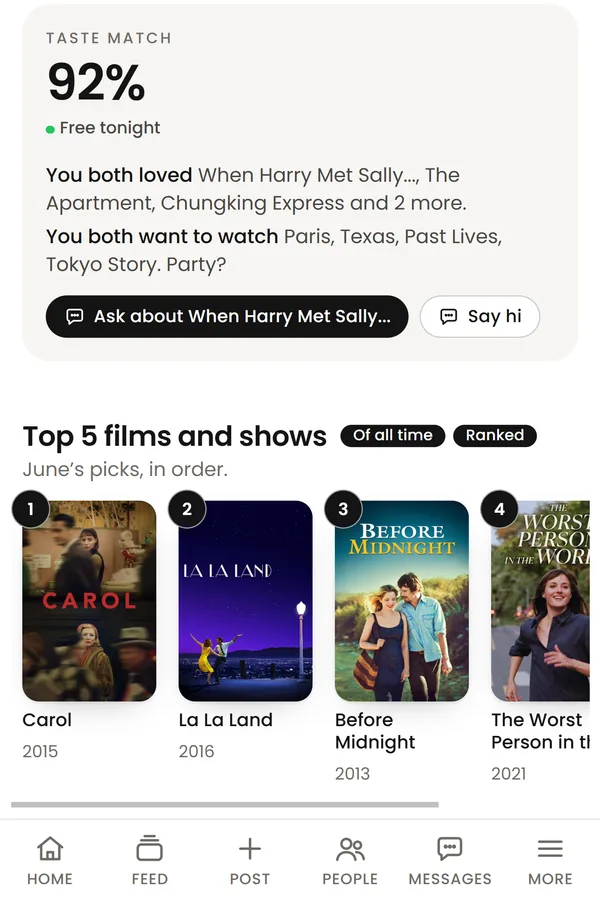
Open anyone's profile for your match: the films you both loved and the ones you both want to see.

A 92% taste match on June's profile: you both loved When Harry Met Sally..., The Apartment and Chungking Express, and both want to watch Paris, Texas

Browse and Discover.

Browse

Across all your services.

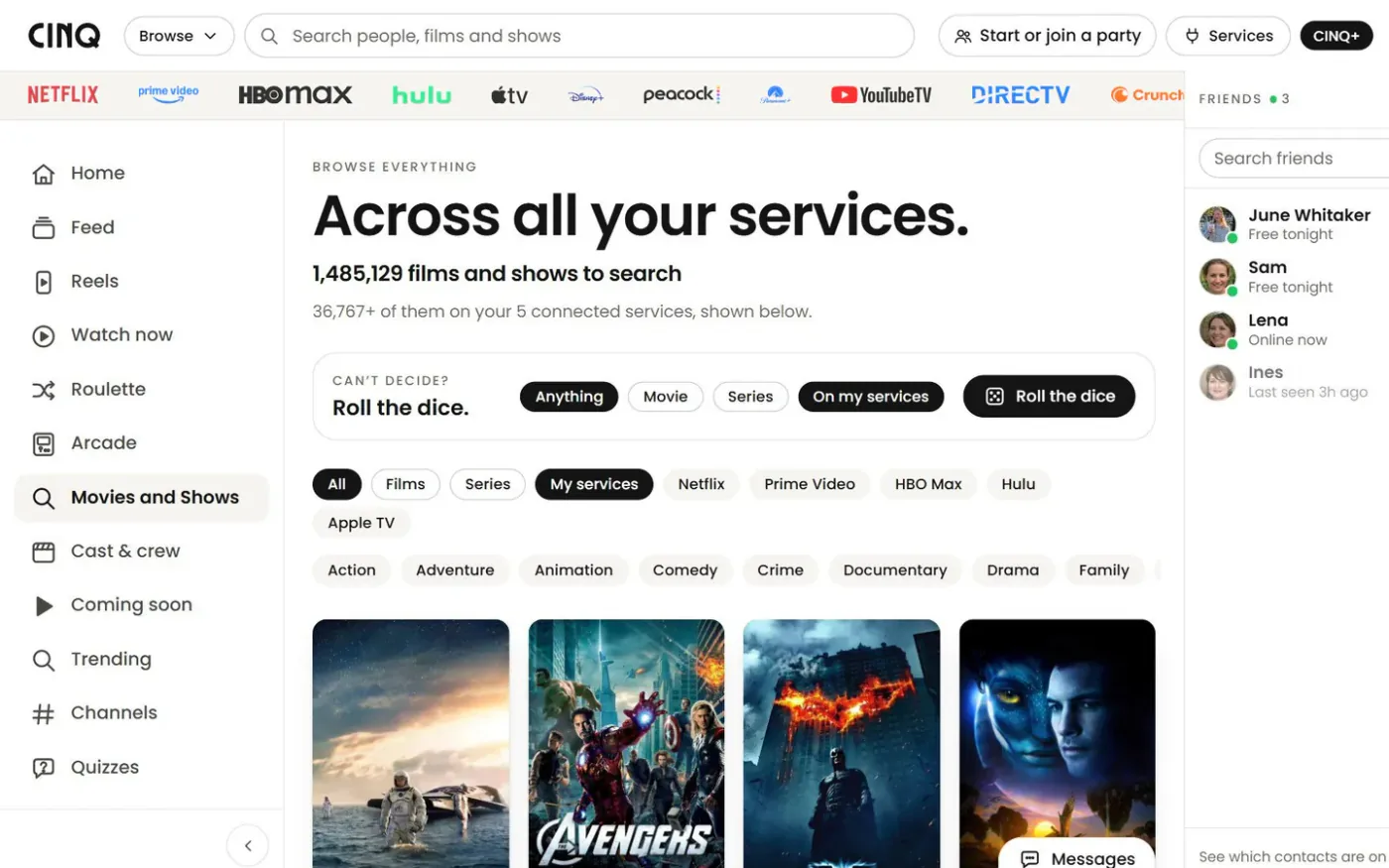
Search close to 1.5 million films and shows, then narrow it down to the services you pay for, films or series, one service or a genre.

Browse on CINQ: Across all your services, 1,485,129 films and shows, with filters for services and genres over a row of posters

Discover

Picked for you, and why.

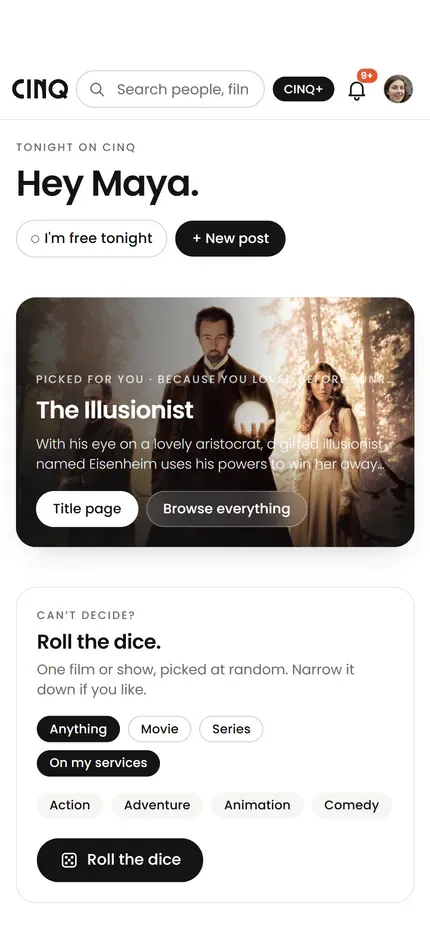
Home picks a film from your own services and says why it picked it. Can't decide? Roll the dice for a film or a series on your services.

Home on CINQ: Picked for you because you watch drama, The Illusionist, and Roll the dice below it

Social.

Reels

Takes from people whose taste you trust.

Trailers and takes, one swipe at a time. Like one, comment, share it, or send it straight to a friend.

Reels on CINQ: a take from @cinq about Netflix asking whether you're still watching, with like, comment, share and send

Quick add

Add friends with a code.

Everyone has a QR code under People. Scan a friend's, or upload a screenshot of it, and add them in one tap.

June's code, scanned: her profile opens with Friends, Following and See profile

TV.

CINQ TV

CINQ on your TV.

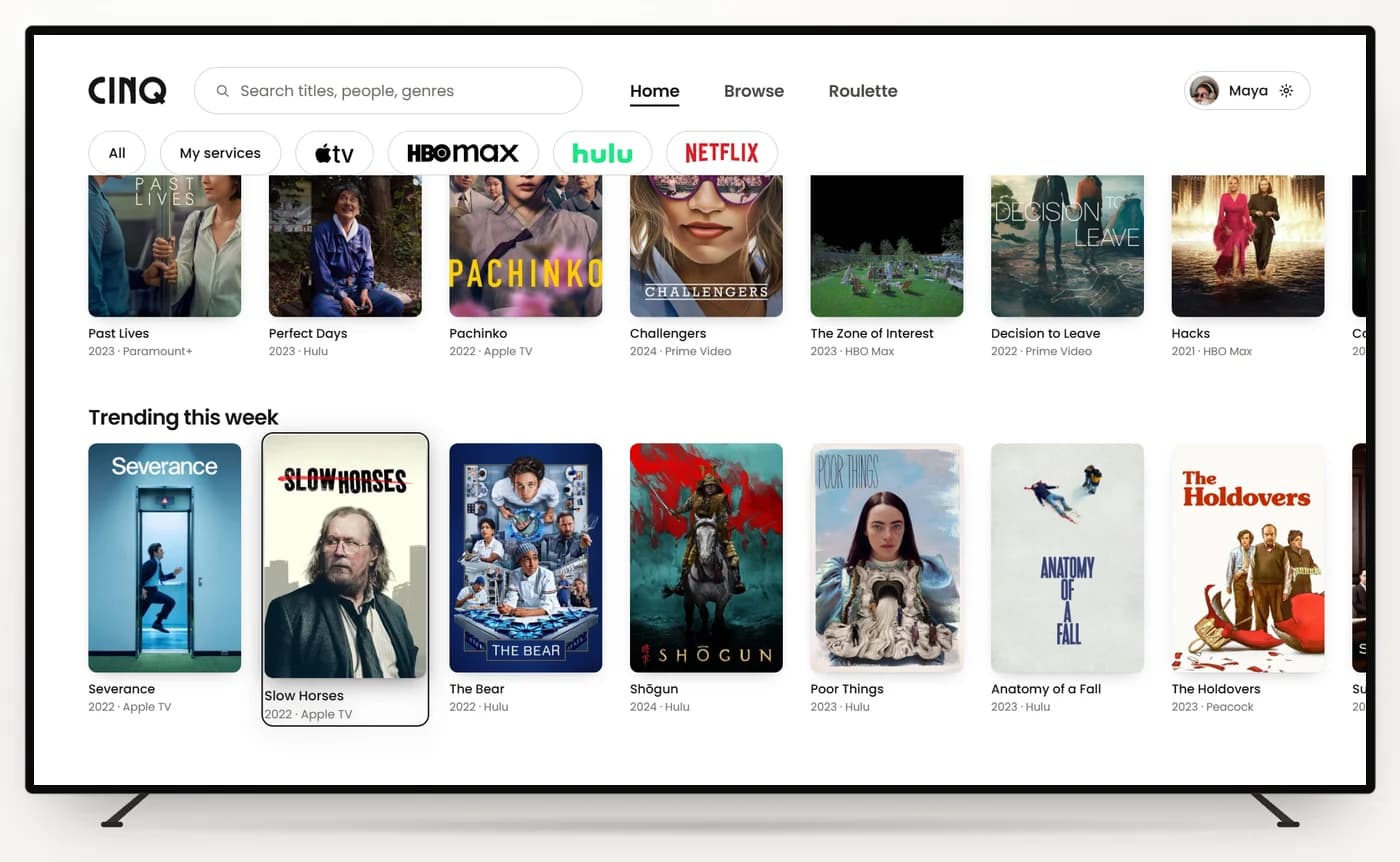
CINQ for Apple TV: browse your services and play a title on the TV. A party plays in sync on a computer with CINQ, which you can plug into the TV.

Coming to Apple TV. CINQ for Roku, Samsung, LG and Google TV is on the way.

CINQ on an Apple TV: Home, with your services along the top, your watchlist and Trending this week

Remote

Your phone is the remote.

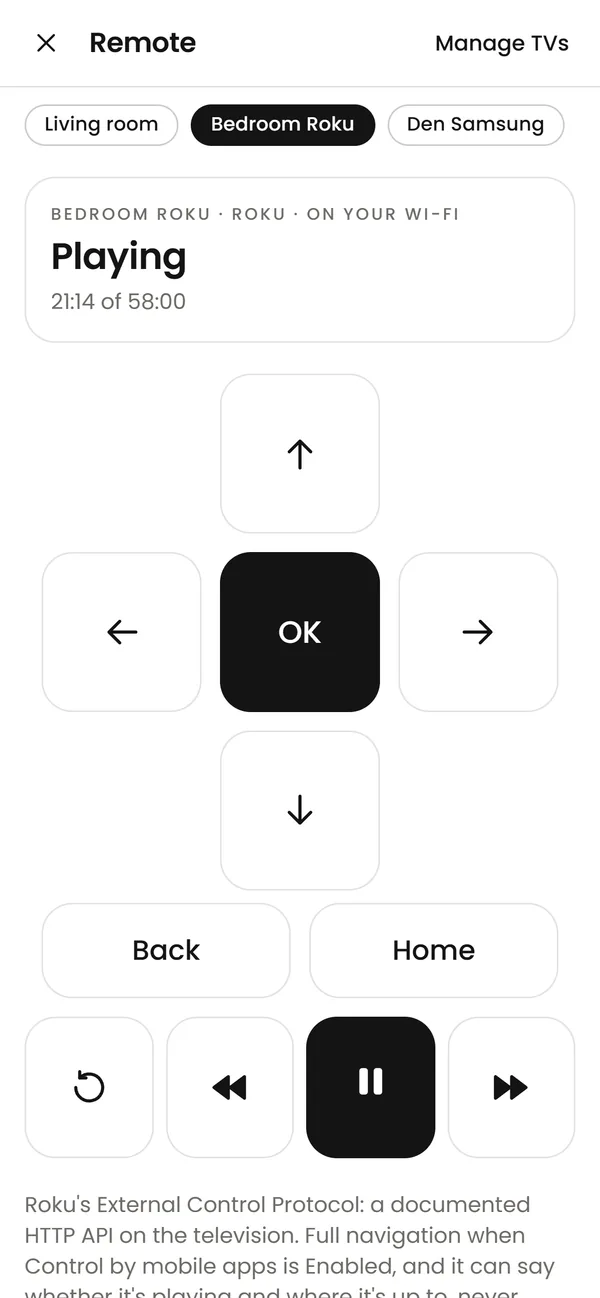
For a Roku or a Samsung, the CINQ app on your phone has the arrows, OK, Back, Home and play, over your own Wi-Fi. Send a film to the TV from the same screen, Apple TV included.

In the CINQ phone apps, coming soon.

The CINQ remote, full screen: the Bedroom Roku playing at 21:14 of 58:00, with arrows, OK, Back, Home, replay, rewind, pause and fast-forward

Mobile.

On your phone

On Android, the party sits beside the film.

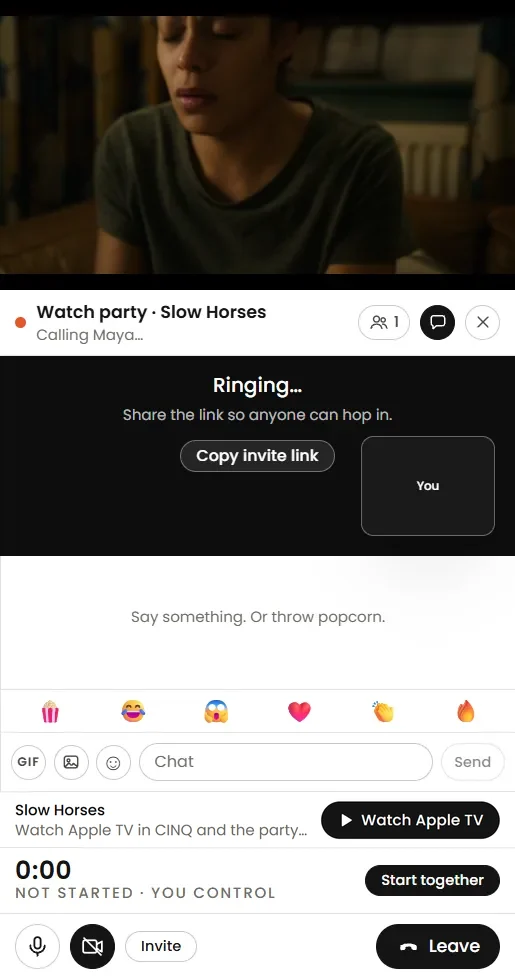
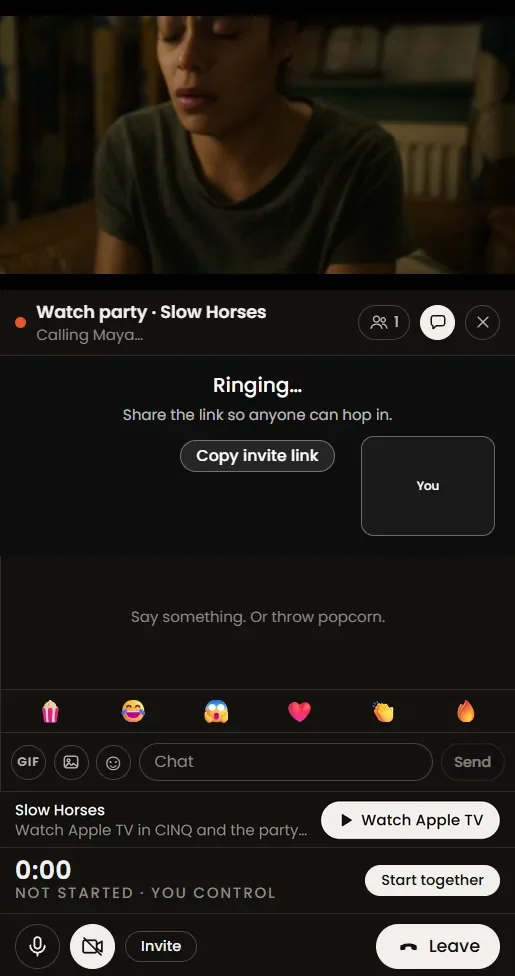
Films and shows on Apple TV play inside the CINQ app with the party docked under them, or beside them with the phone on its side, kept in sync with everyone else. More services and iPhone are on the way.

The Android and iPhone apps are coming soon.

The CINQ app on Android: Slow Horses playing at the top of the screen, the watch party docked under it with the chat and Watch Apple TV

Notifications

Calls and party invites ring.

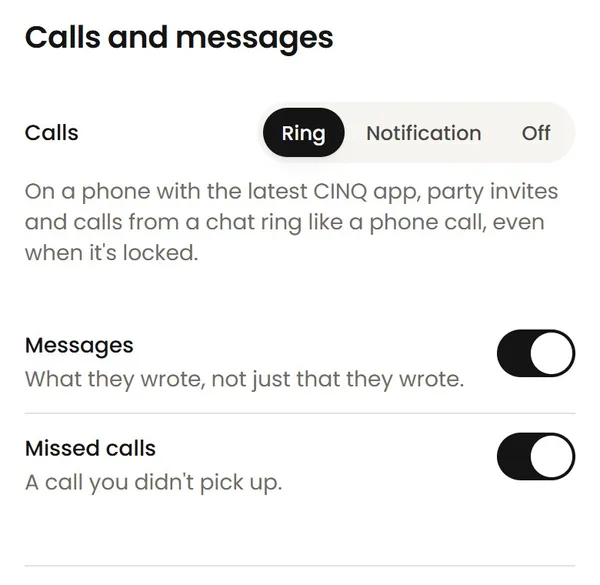
On Android they ring full screen, even on the lock screen, like a phone call. Pick Ring, Notification or Off, and choose which other notifications reach you.

CINQ's notification settings: Calls set to Ring, beside Notification and Off, then switches for messages and missed calls

What are we watching?

Join CINQ and watch with people again.

Free. No credit card. Works with the subscriptions you already have.