Social Cinema

Watch TV Together

CINQ makes it easy to watch your favorite shows and movies with friends and strangers. Stay in sync, talk, and react together with live video, voice, and chat.

Works in Chrome and Edge with the CINQ extension. iPhone and Android apps coming soon.

Theo
Nina

21:14

Playing · you control

Theo
Maya

21:14

Playing · host clock

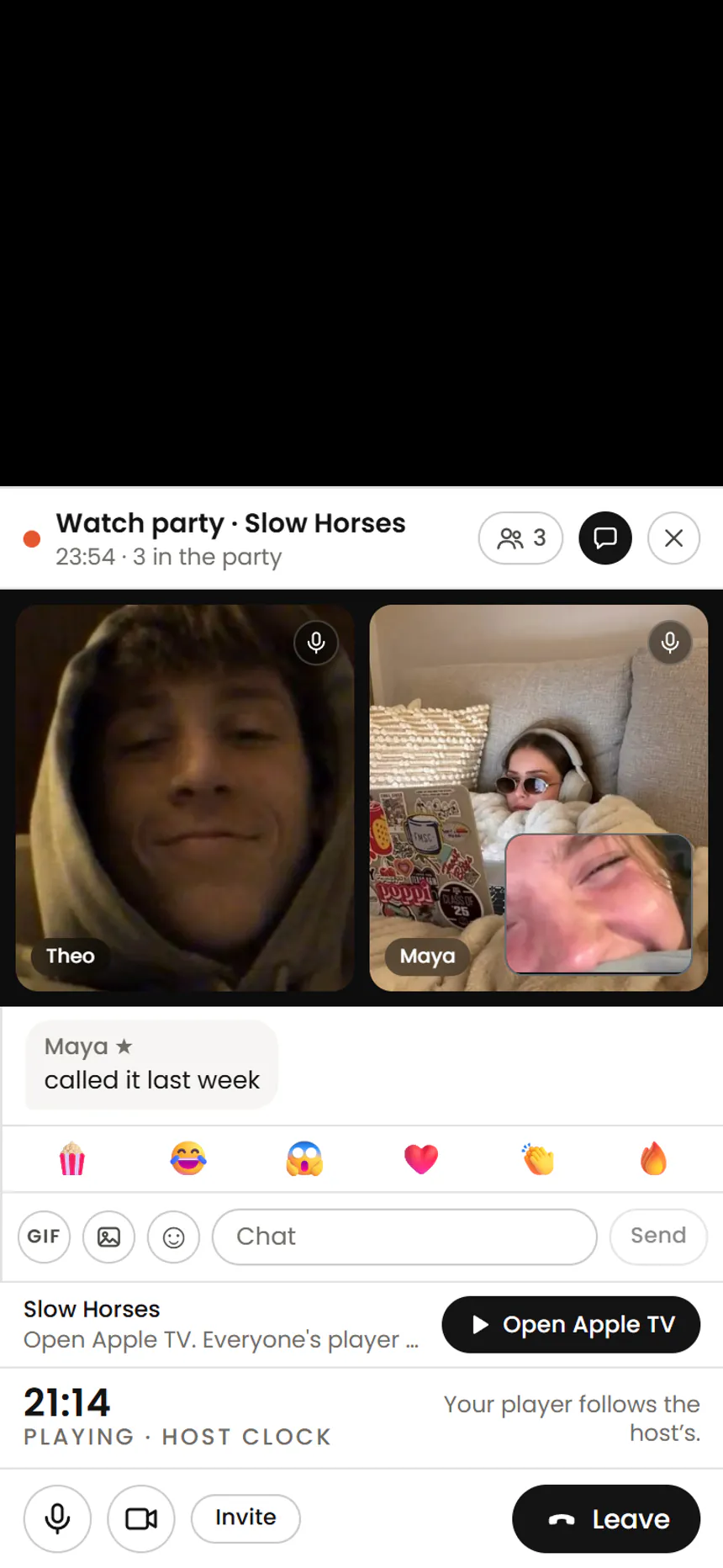
Watch in sync with friends: the host presses play or pause, and every computer with CINQ follows to the second. A TV joins through a laptop plugged into it.

Slide 1 of 13: In sync on every player. Watch in sync with friends: the host presses play or pause, and every computer with CINQ follows to the second. A TV joins through a laptop plugged into it. On the laptop: The host's laptop: Slow Horses playing on Apple TV with the CINQ party sidebar, its faces, chat and shared clock. On the TV: The same scene of Slow Horses on a TV, played by a laptop with CINQ plugged into it. On the phone: A friend's Android phone in the CINQ app: the same scene playing on top, the same party and the same clock under it.


On the screens: Slow Horses, from Apple TV

Works with your existing streaming subscriptions

  • Netflix
  • Prime Video
  • HBO Max
  • Disney+
  • Hulu
  • Peacock
  • Apple TV
  • Paramount+
  • YouTube TV
  • DirecTV
  • Crunchyroll
  • MGM+
  • History
  • Starz
  • Tubi
  • Roku

Movies were never meant to be watched alone.

CINQ is where you watch with people.

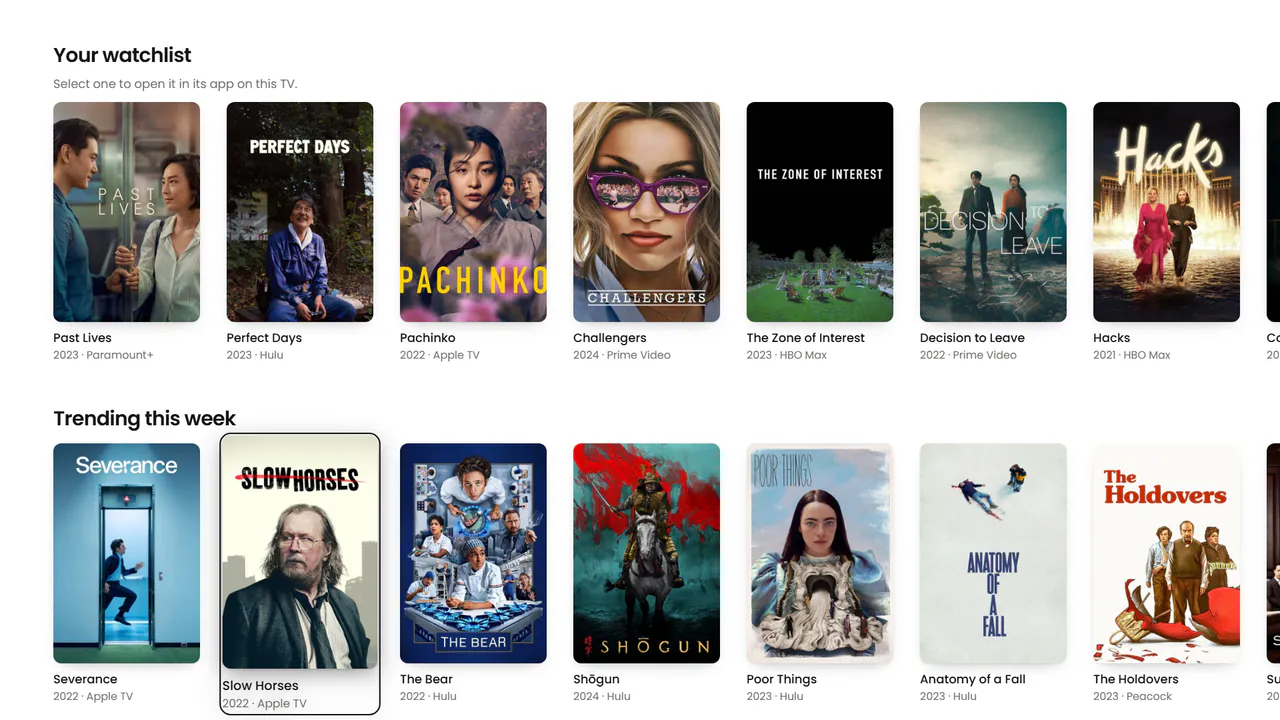
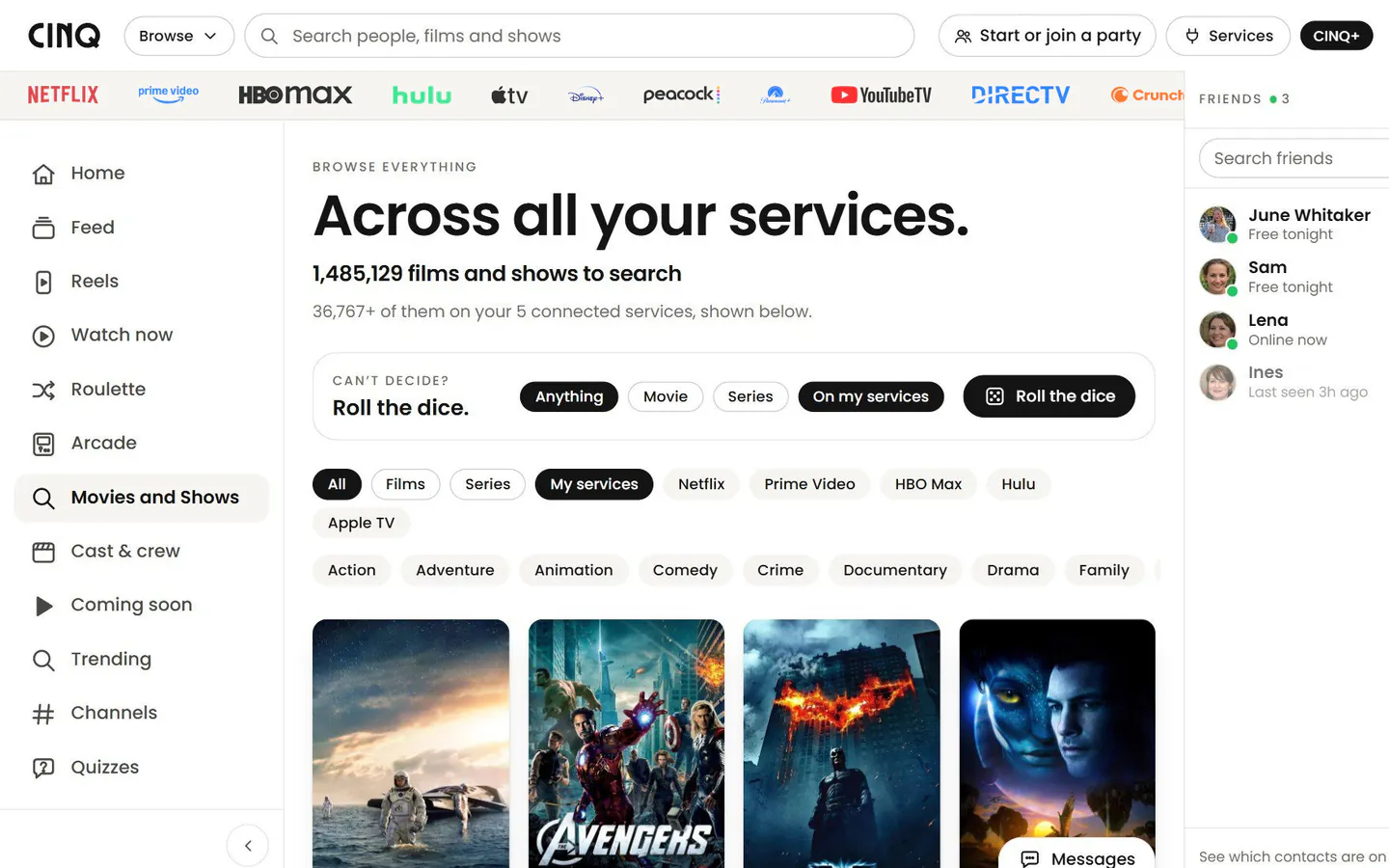
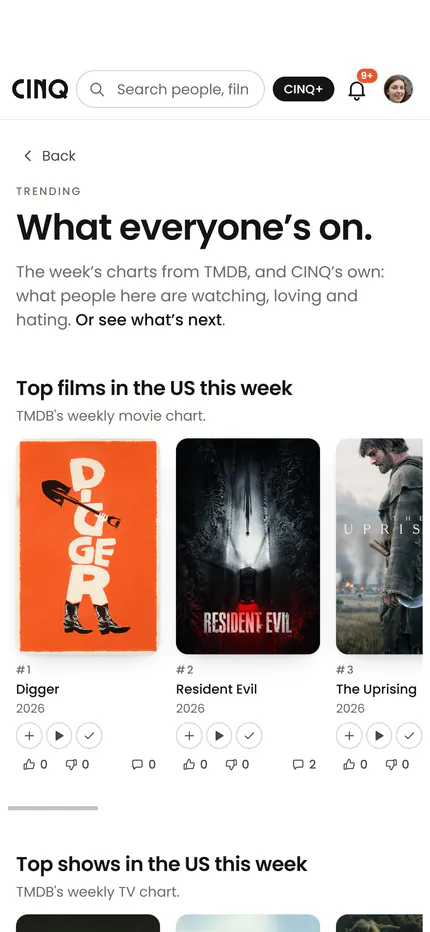
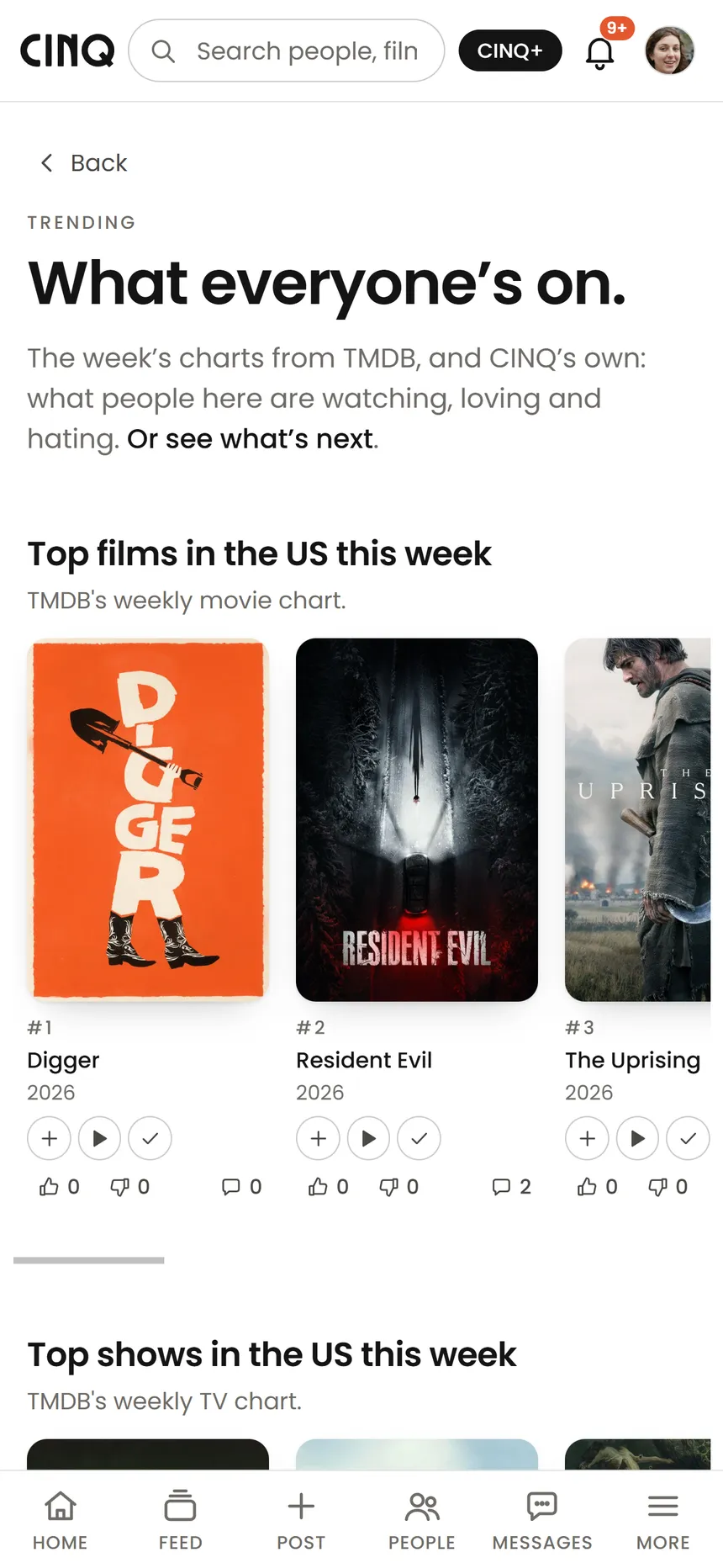
  1. Discover in the CINQ app: what everyone's on this week, with this week's top films

    Discover what to watch.

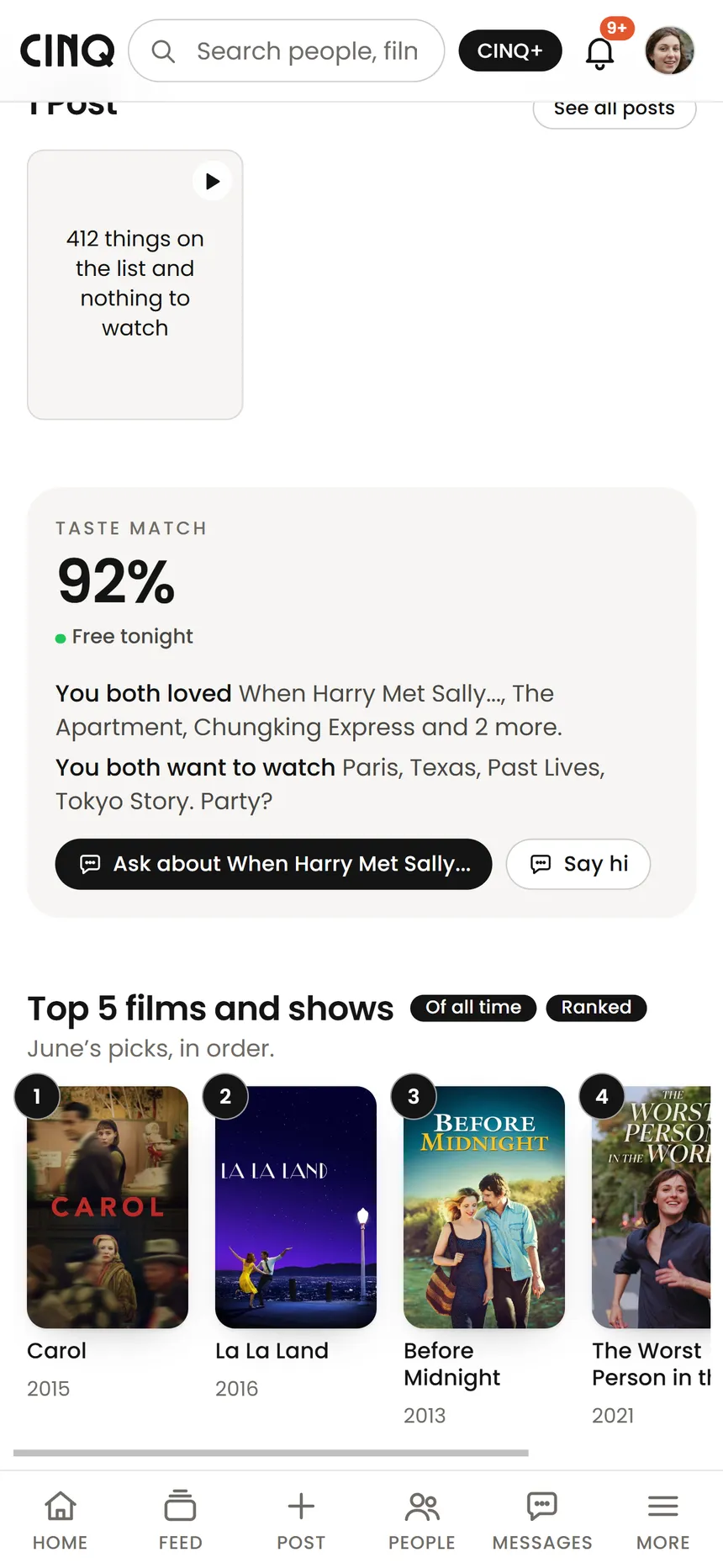
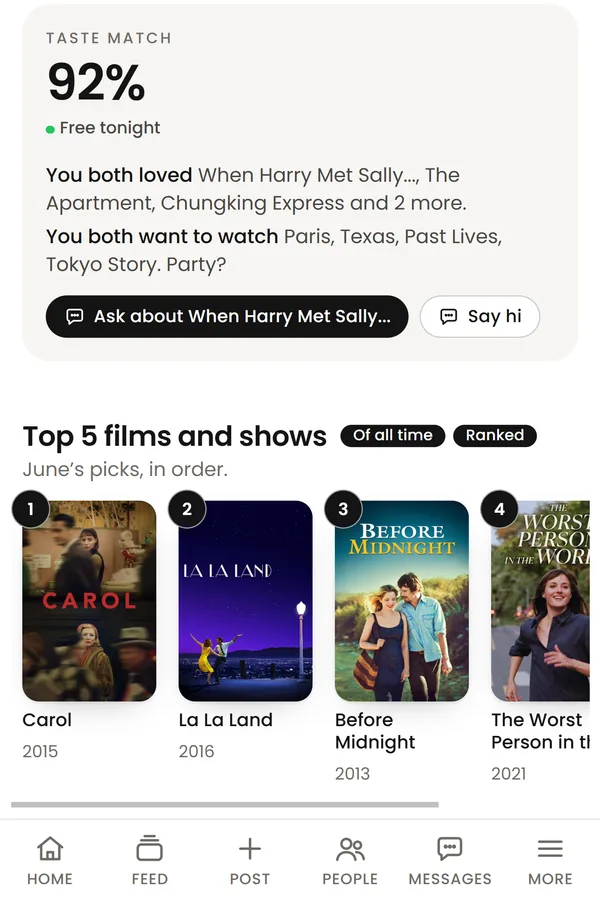
  2. June's profile in the CINQ app: a 92% taste match, and her top five films

    Find people to watch with.

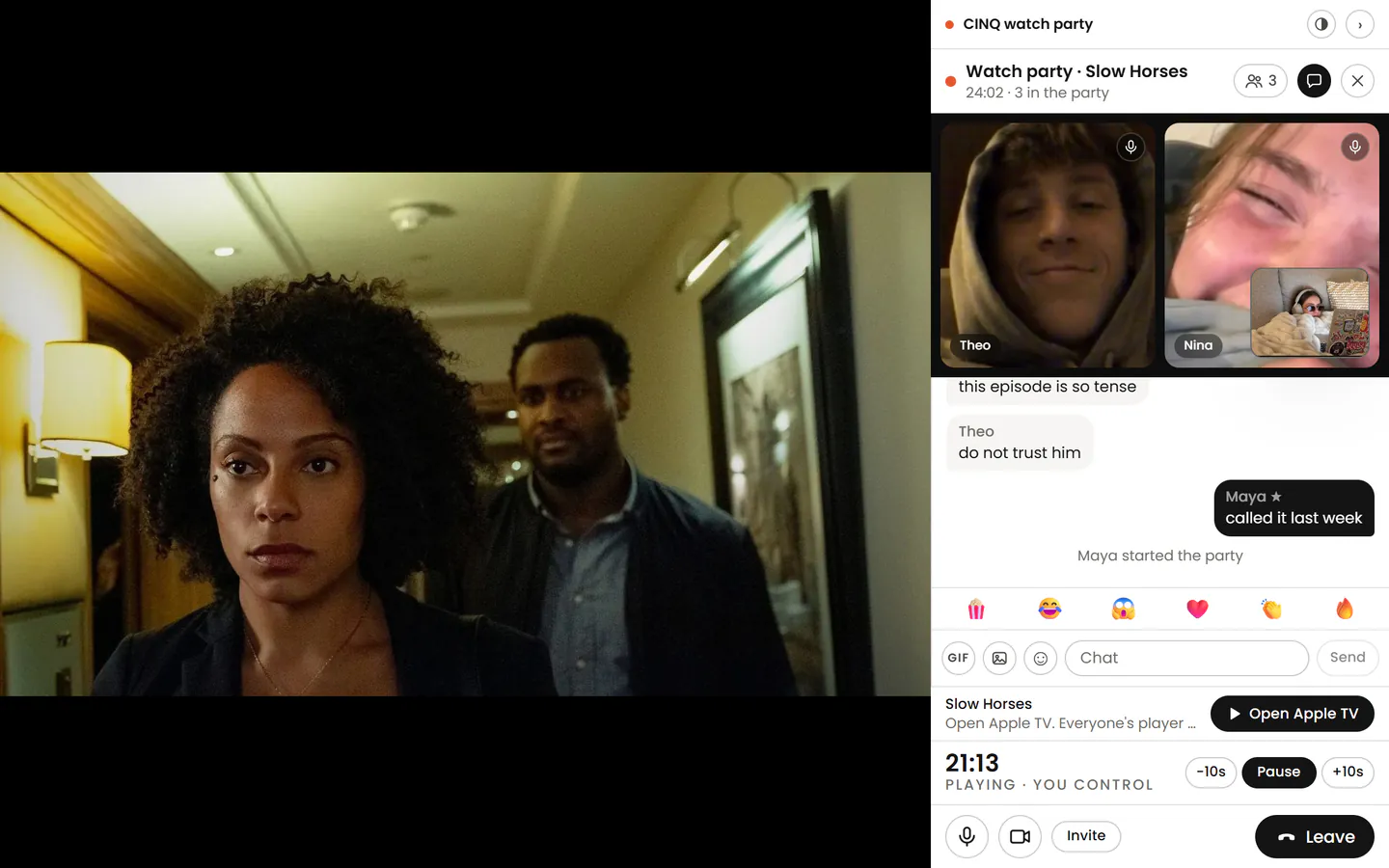
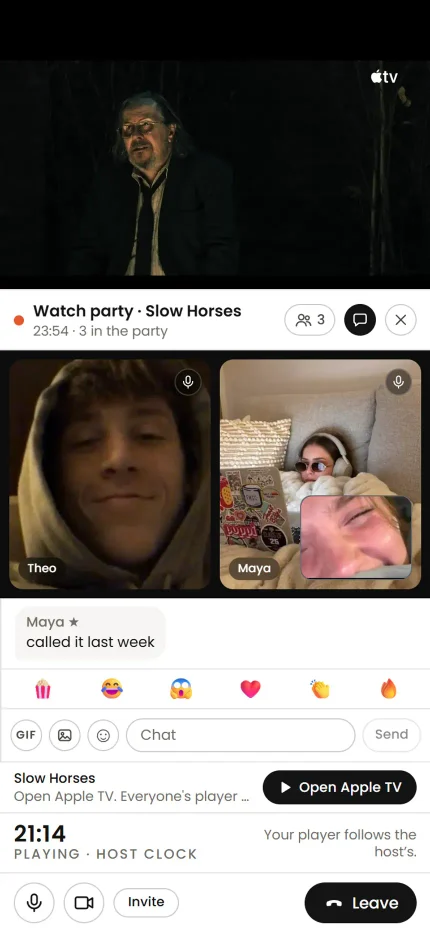
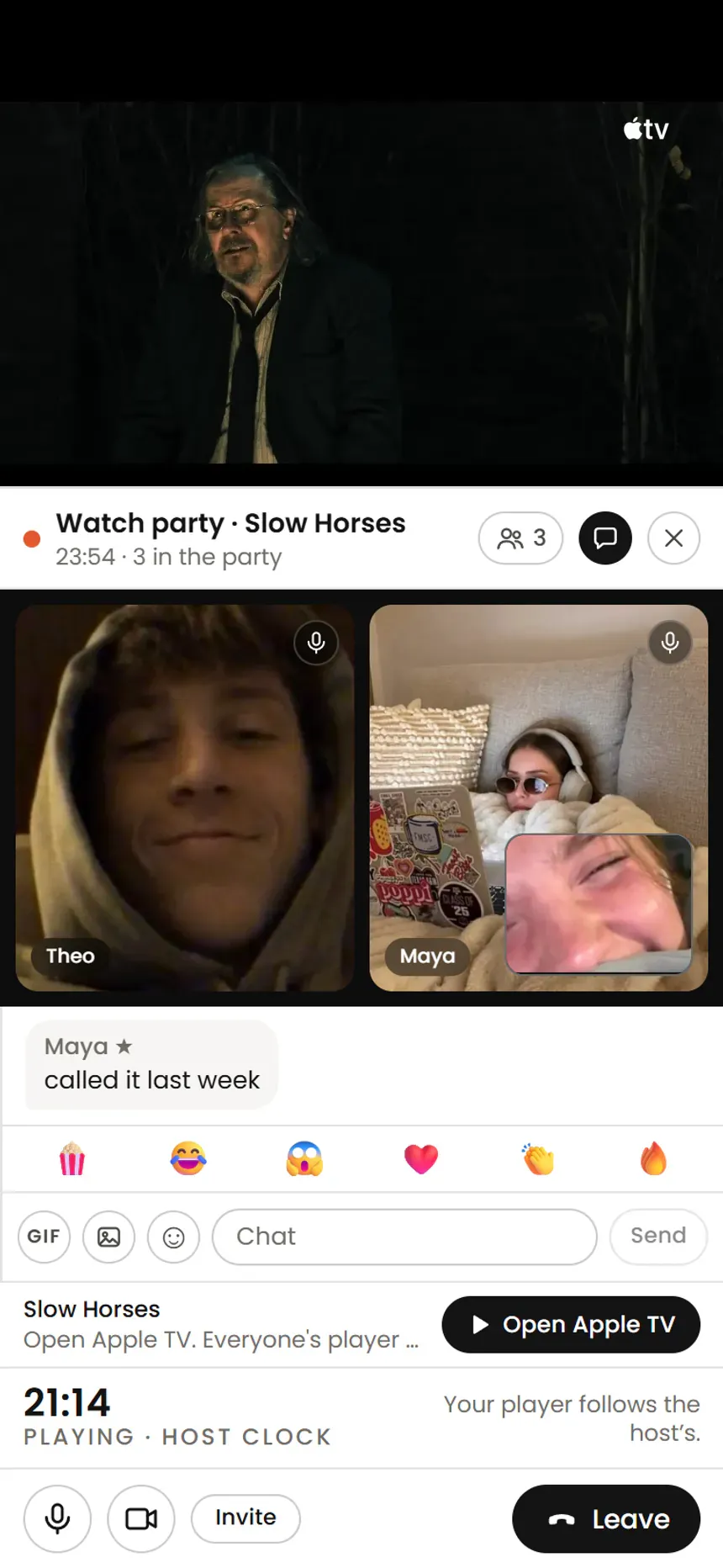
  3. A watch party in the CINQ app: Slow Horses at the top, the party docked under it with friends on video, the chat and the shared clock

    Watch together.

How it works

Watch something together in four steps.

  1. Step 1

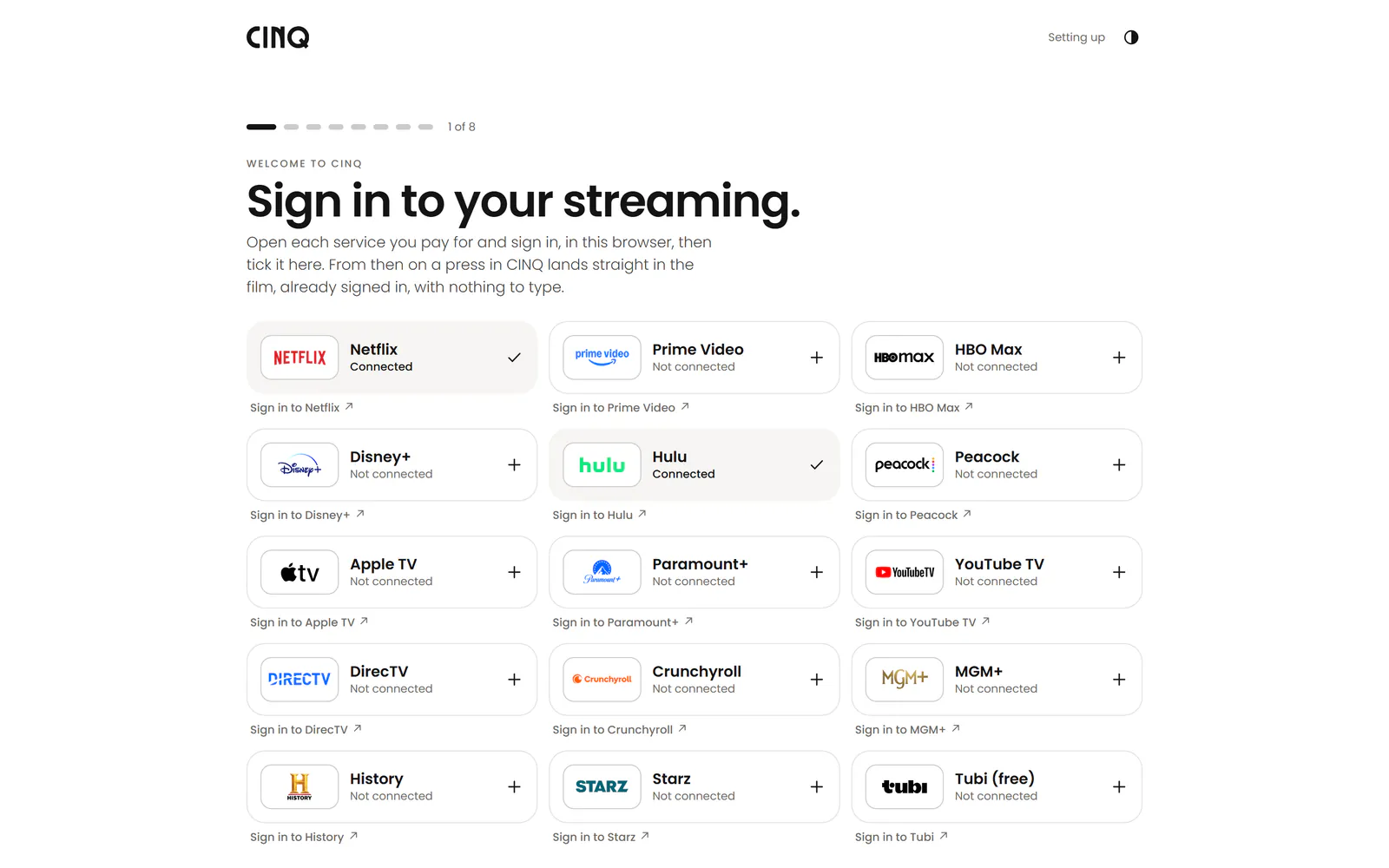
    Join CINQ and sign in to your streaming.

    Tick the services you pay for and sign in to each one in your browser. Everyone watches on their own account.

    cinq.watch/welcome
    The first step of joining CINQ, full screen: sign in to your streaming services and tick the ones you pay for
  2. Step 2

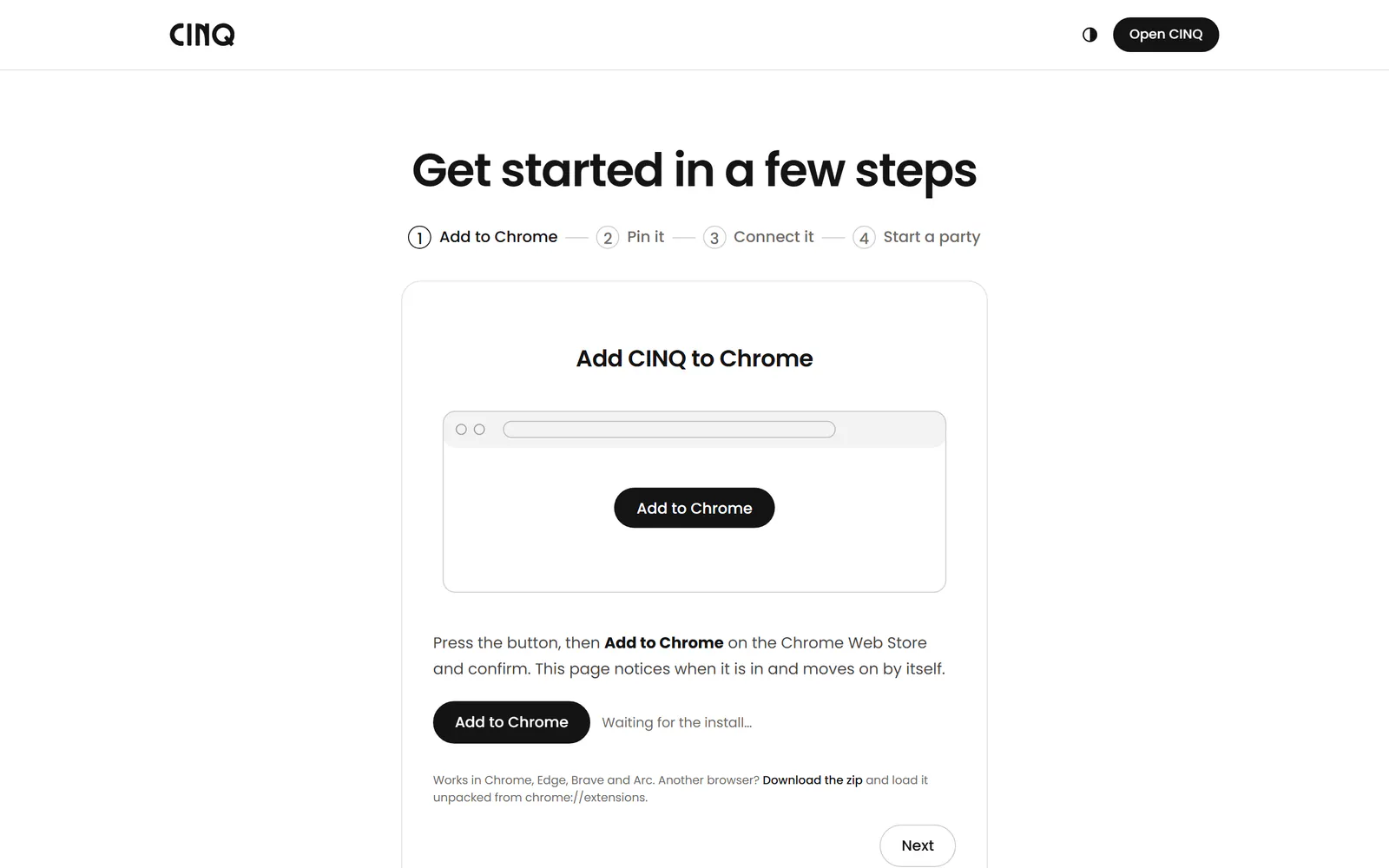
    Add CINQ to Chrome or Edge.

    It's free on the Chrome Web Store. It puts the party beside the film on Netflix, Prime Video, Apple TV and the rest.

    Get the extension

    cinq.watch/install
    Adding the CINQ extension to Chrome or Edge
  3. Step 3

    Pick something and start a party.

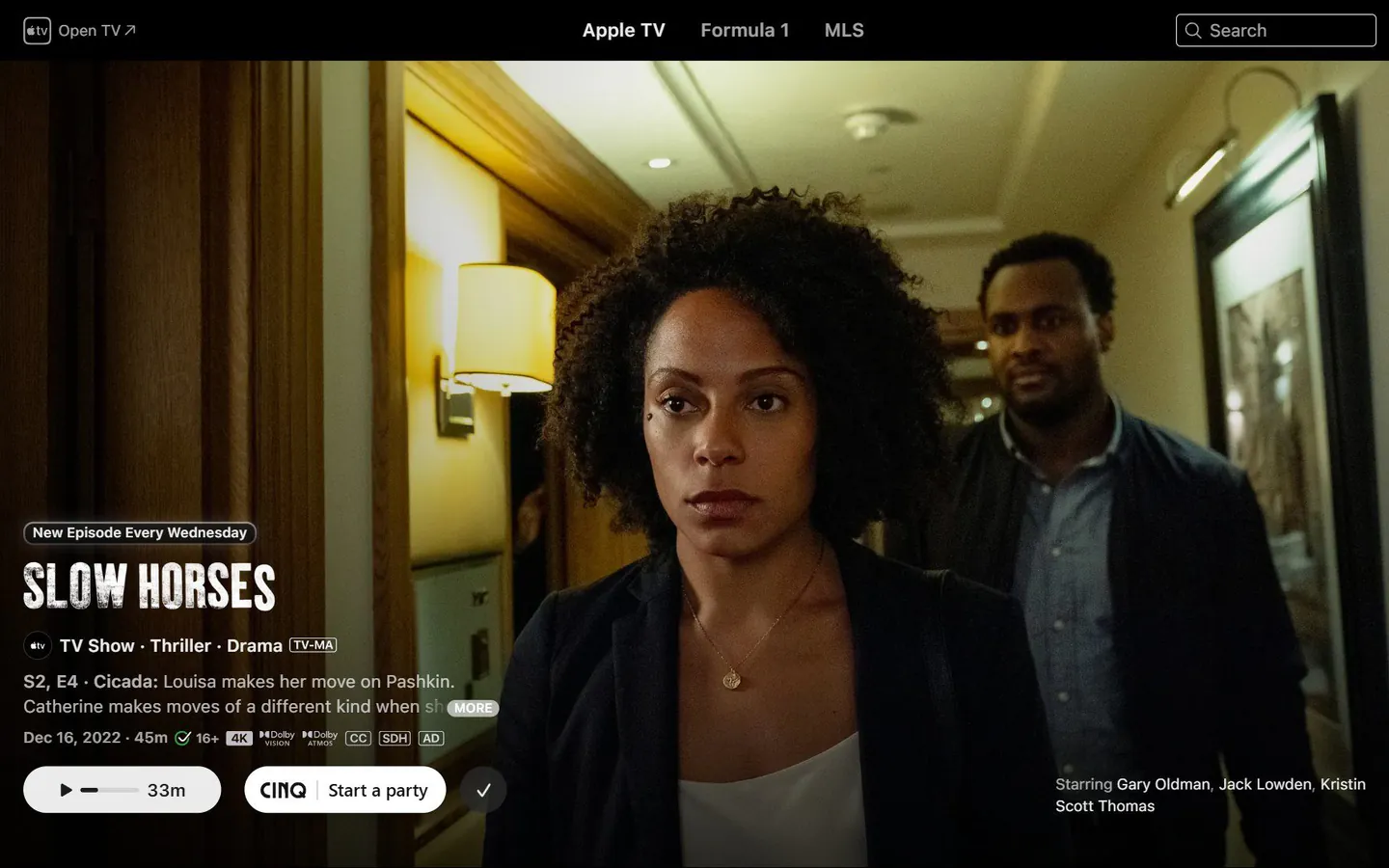
    Press Watch party on any title, or Start a party beside the play button on the service itself, and invite your friends.

    tv.apple.com/us/show/slow-horsesCINQ on
    Slow Horses on Apple TV in a browser, with CINQ's Start a party button beside Apple's own play button
  4. Step 4

    Press play together.

    When the host presses play, pauses or skips, everyone's player follows. Your friends are on video beside the film, with the chat.

    tv.apple.com/us/show/slow-horsesCINQ on
    A watch party beside Slow Horses on Apple TV, with friends on video, the chat and the shared clock in the CINQ sidebar

CINQ+

What’s free, and what CINQ+ adds.

Bigger parties, more services to host on, unlimited Roulette and the dating extras. Guests never pay.

Free

$0

No card needed.

Watch parties and Roulette

  • People in a party you hostYou and one guest.2
  • Host on Netflix, Prime Video, HBO Max, Disney+, Hulu, YouTube TV, Tubi, History and the restIncluded
  • Join a party on any serviceIncluded
  • Roulette matches2 a day

DatingMatch is opt-in and 18+.

  • Swipes2 a day
  • Matches and watch datesIncluded
  • Compatibility on every cardIncluded

CINQ+

$5 a month

Cancel any time.

Watch parties and Roulette

  • People in a party you host8 on camera, the rest watch in sync.Up to 1,000
  • Host on Netflix, Prime Video, HBO Max, Disney+, Hulu, YouTube TV, Tubi, History and the restIncluded
  • Host on Apple TV, DirecTV, Paramount+, Peacock, Starz, MGM+ and CrunchyrollGuests join free on every service.Included
  • Join a party on any serviceIncluded
  • Roulette matchesUnlimited

DatingMatch is opt-in and 18+.

  • SwipesUnlimited
  • Matches and watch datesIncluded
  • Compatibility on every cardIncluded
  • Likes youIncluded
  • Tickets, 3 a weekIncluded
  • RewindIncluded
  • IncognitoIncluded
  • Travel modeIncluded
  • Advanced filtersIncluded
  • Who viewed youIncluded
  • Advanced statsIncluded
  • Group pickIncluded
Get CINQ+

You’ll make your free account first, then choose CINQ+ during setup.

Watching together, profiles, messages, watchlists, rooms, recommendations and Match itself stay free.

See what’s playing.

Someone, somewhere, is watching something you love.

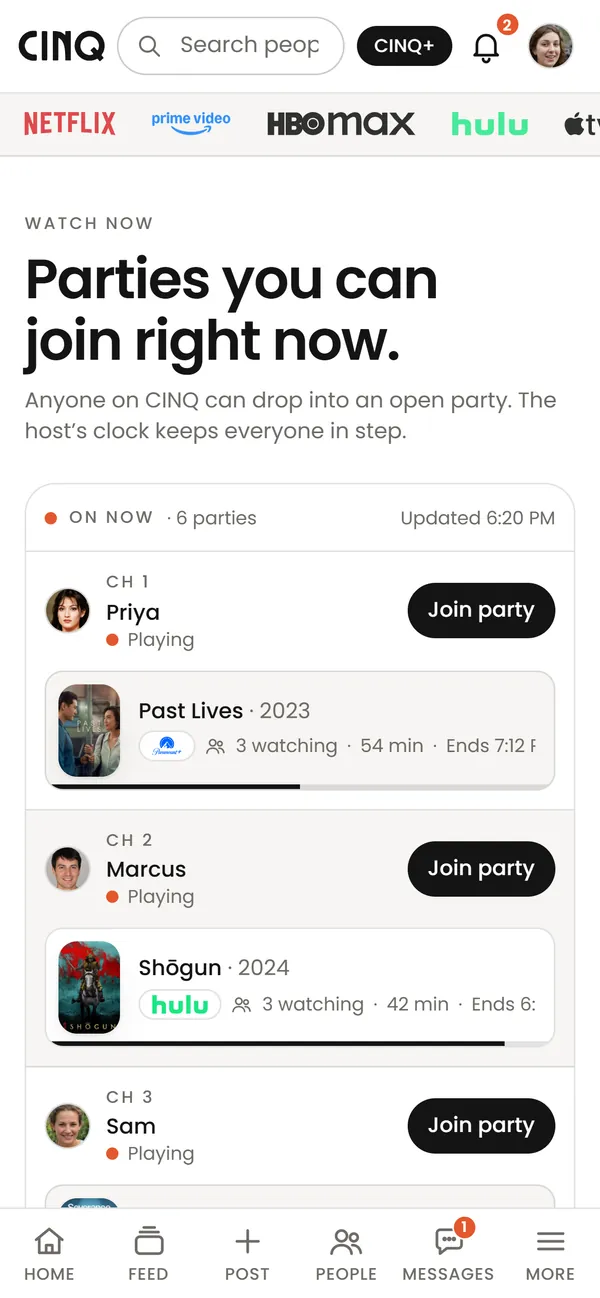
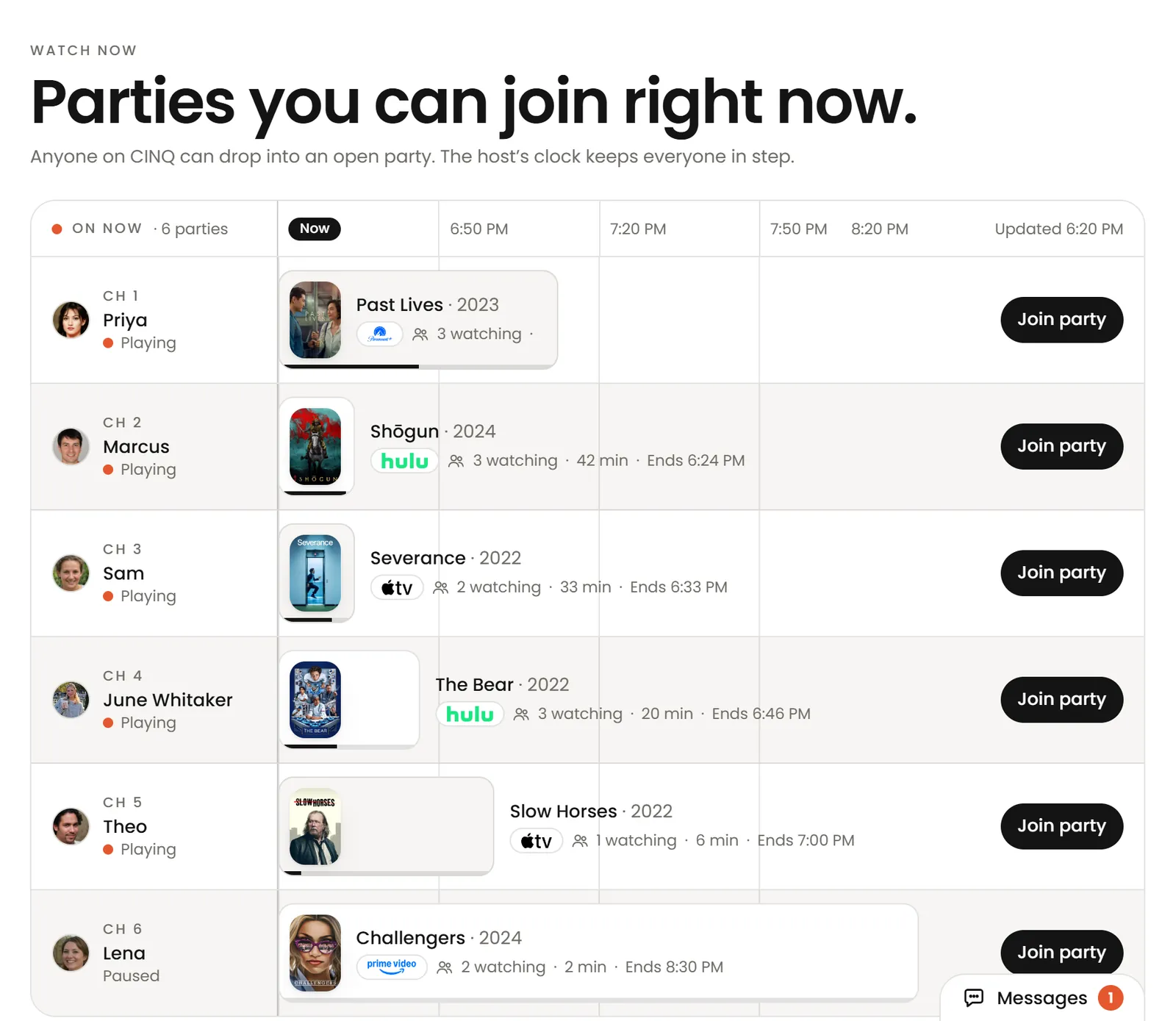
Watch now on a phone: Priya's Past Lives party, Marcus's Shōgun party and Sam's, each with Join party

Public and private watches. Friends or strangers. Your call.

Start a watch

Find your people

YOUR TASTE
FINDS YOUR
PEOPLE.

Every film you log connects you to the people who loved it too.

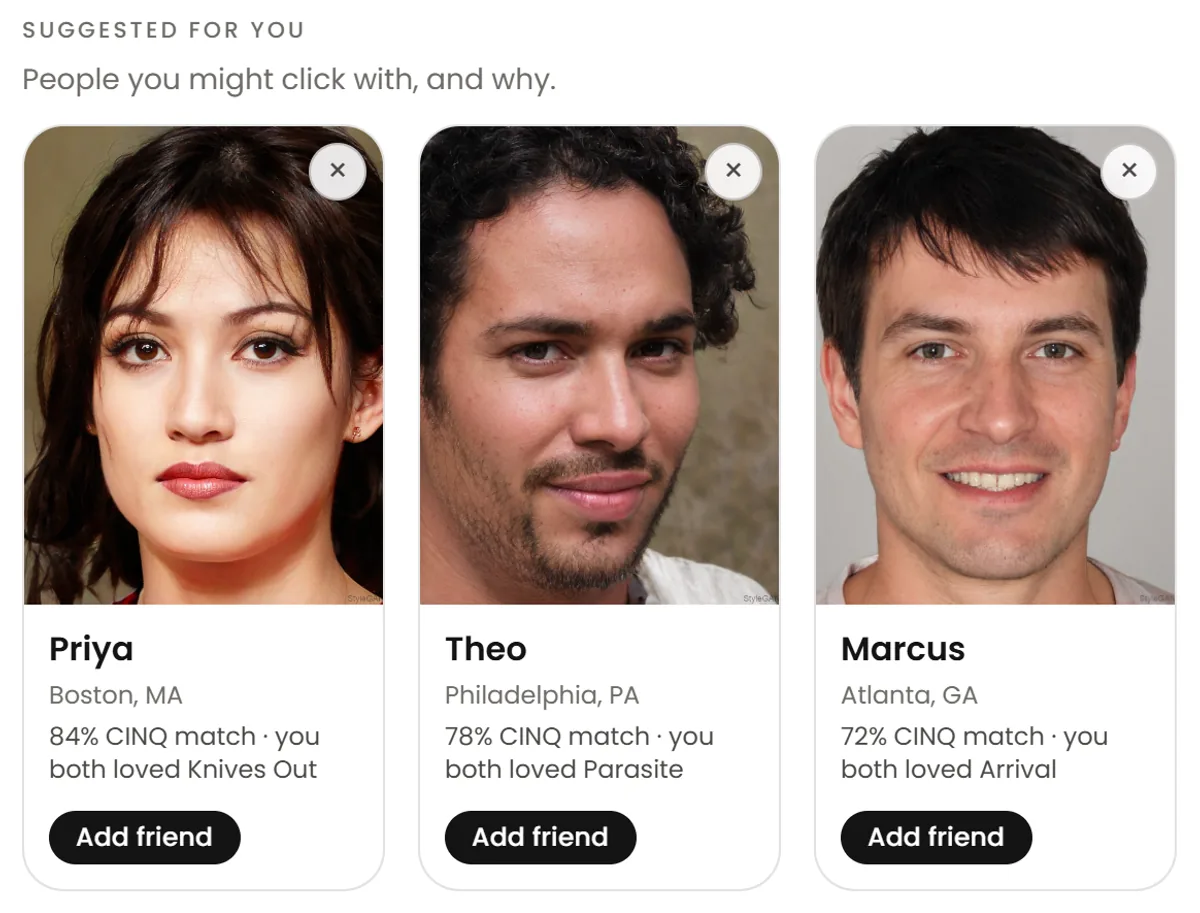
Find people on CINQ, suggested for you: Priya, an 84% CINQ match who also loved Knives Out, Theo at 78% for Parasite, Marcus at 72% for Arrival
June's profile: a 92% taste match, the films you both loved and both want to watch, Ask about When Harry Met Sally and Say hi

Support

Common questions.

Getting started

Is CINQ free?

Yes. Watching together, profiles, messages and recommendations are free. CINQ+, at $5 a month, adds bigger parties, more services to host on, unlimited Roulette and the dating extras.

CINQ doesn't sell or stream films: you watch on the services you already pay for.

How do I start?

Join with your email or Google, tick the services you pay for, and add the CINQ extension to Chrome or Edge on your computer. Then open any film or show and press Watch party.

Install CINQ walks you through the extension in four steps.

Watch parties

Which streaming services work?

Netflix, Prime Video, HBO Max, Disney+, Hulu, Peacock, Apple TV, Paramount+, YouTube TV, DirecTV, Crunchyroll, MGM+, History, Starz and Tubi.

How many people can join a party?

A party you host on the free plan is for 2: you and one guest. With CINQ+, up to 1,000 people can join. 8 are on camera at once, and everyone else watches in sync with chat and reactions.

Guests never pay: what counts is the host's plan.

Which services need CINQ+?

Hosting a party on Apple TV, DirecTV, Paramount+, Peacock, Starz, MGM+ or Crunchyroll needs CINQ+. Only the host needs it: friends join free.

Netflix, Prime Video, HBO Max, Disney+, Hulu, YouTube TV, Tubi, History and the rest are free to host for everyone.

Which browsers does the extension work in?

Chrome, Edge, Brave, Arc, Opera and other Chromium browsers on a computer. It doesn't run in Safari or Firefox, or on phones and tablets.

On a computer it's what keeps your film in sync with the party, so you need it to watch one. Without it you can still join the call and the chat.

Phone apps

Can I watch a party on my phone?

Soon. In the Android app, coming to Google Play, Apple TV plays inside CINQ with the party docked under it, or beside it with the phone on its side, in sync with everyone else. More services are on the way.

On iPhone, CINQ can't keep a film in sync yet: join the call and the chat there, and watch on a computer with CINQ.

How do I let calls ring full screen on Android?

In the Android app, coming soon, calls and party invites ring like a phone call, even when your phone is locked. If they only show as a banner, Android has full-screen calls switched off for CINQ.

Open Settings, then Notifications, and tap Let CINQ ring full screen. It opens Android's page with the switch: turn it on for CINQ. In the same place you can set calls to Ring, Notification or Off.

How do I add someone with a QR code?

Open People and tap My code to show yours. To add someone, tap Scan a code and point your camera at theirs, or upload a screenshot of it. Their profile opens with Add friend and Follow.
Someone without CINQ who scans your code can join, and lands on your profile when they're done.

CINQ+ and billing

How do I cancel CINQ+?

Bought on cinq.watch: open CINQ+, go to Membership and press Cancel CINQ+. You keep it until the end of the month you paid for. Manage billing, in the same place, has your receipts and card.

Bought in the iPhone or Android app: cancel it in your App Store or Google Play subscriptions. Apple and Google bill those, so CINQ can't cancel them for you.

Privacy and safety

How does CINQ know which services I'm signed in to?

The green check beside a service comes from your own device. On a computer the CINQ extension checks whether this browser is signed in to each service; in the phone apps, when they're out, CINQ checks which services' apps are installed.

It's all checked on your computer or phone, and nothing about it is sent to CINQ.

What are Roulette's rules?

You need to be 18 or over, with your own name and a photo of yourself. No nudity or sexual talk, and no harassment, hate or threats. Camera and mic start off.

Report or Block ends the party at once, and you're never matched with that person again. A person reads every report within 24 hours. On the free plan you get 2 Roulette matches a day; with CINQ+ there's no limit.
The full rules.

Account

How do I delete my account?

In Settings, under Account, tap Delete my account. Your profile is hidden at once and kept for 30 days in case you change your mind, then erased for good. Delete permanently instead skips the 30 days.
What is deleted, and when: Delete your account.

Is there a dark mode?

Yes. Choose Light, Dark or Match device in Settings, under Appearance, or with the button at the top of this page. The extension's popup has the same choice, and so will the phone apps.

What are we watching?

Join CINQ and watch with people again.

Free. No credit card. Works with the subscriptions you already have.